Invisible Unicode characters, compared
Six codepoints do almost all the real work behind blank names, empty messages and the hidden characters that break copy-paste. Here is what each one was made for, the properties that decide its fate in a form, and when to reach for a different one.
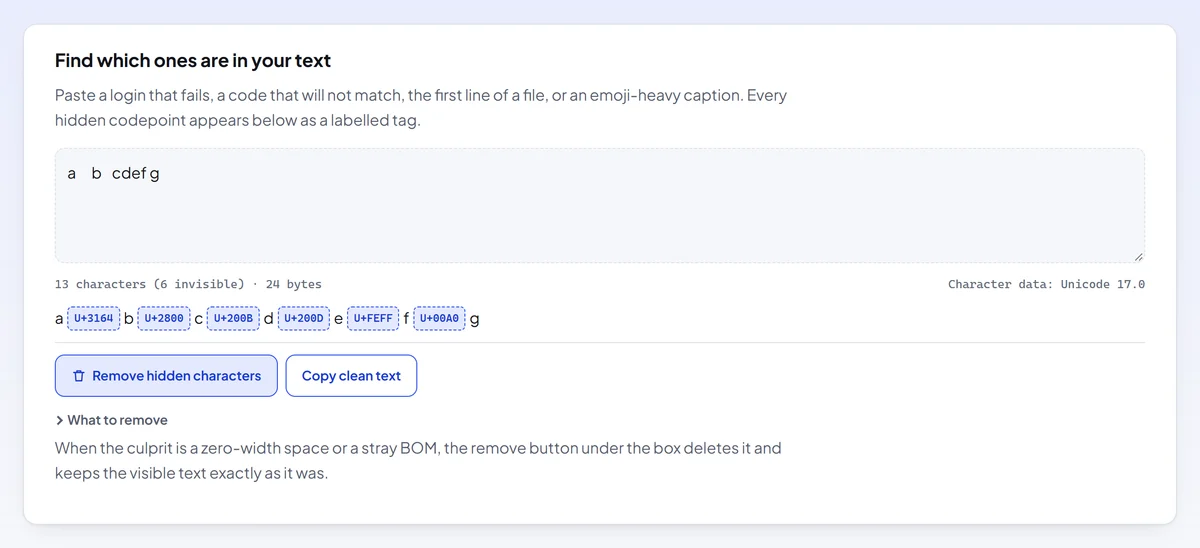
Find which ones are in your text
Paste a login that fails, a code that will not match, the first line of a file, or an emoji-heavy caption. Every hidden codepoint appears below as a labelled tag.
0 characters
Character data: Unicode 17.0
What to remove
When the culprit is a zero-width space or a stray BOM, the remove button under the box deletes it and keeps the visible text exactly as it was.
The six at a glance
| Character | Category | White_Space | Survives trim | UTF-8 | Best for |
|---|---|---|---|---|---|
| Hangul Filler U+3164 | Letter, other (Lo) | no | yes | 3 B | Blank usernames and profile names |
| Braille Pattern Blank U+2800 | Symbol, other (So) | no | yes | 3 B | Empty messages, highlight names |
| Zero-Width Space U+200B | Format (Cf) | no | yes | 3 B | Invisible break points inside text |
| Zero-Width Joiner U+200D | Format (Cf) | no | yes | 3 B | Emoji sequences, joined scripts |
| Zero-Width No-Break Space U+FEFF | Format (Cf) | no | no | 3 B | Mostly something to detect (BOM) |
| No-Break Space U+00A0 | Separator, space (Zs) | yes | no | 2 B | Keeping two words on one line |
Two columns decide most outcomes. A character with White_Space «yes» is removed by the trimming nearly every form applies, so it can never make a field look empty. A character that survives trimming still has to pass whatever rule the app adds — some demand a letter, which only the Hangul Filler provides. Every value in the table is re-derived from the Unicode database when the site is published.
Braille Pattern Blank — U+2800
A braille cell with zero dots raised — a real symbol whose entire glyph is emptiness, and the workhorse behind blank chat messages everywhere.
A symbol that happens to be empty
Unicode's braille block encodes all 256 combinations of the eight-dot braille cell, and U+2800 is the combination with no dots at all. For braille text it is a meaningful unit; for everyone else it is something rarer — a character the standard classes as a symbol, not a space, that renders as pure blankness. That classification is the secret of its reliability.
Why chat apps accept it
Messengers refuse to send «nothing», and their definition of nothing is whitespace: they trim it and check whether content remains. U+2800 is content by that definition — a symbol, like a heart or an arrow — so a message consisting of one braille blank posts successfully and displays as an empty bubble. The same logic makes it a favourite for Instagram highlight names and Discord messages.
One visible caveat
Unlike the truly zero-width characters, U+2800 occupies the width of one braille cell — an em-square of blank space. That width is usually exactly what you want, a gap that holds its ground; for invisibility with no footprint inside a line of text, use the zero-width space below. Each copy is 3 bytes, and the generator repeats it up to a thousand times for tall empty blocks.
Zero-Width Space — U+200B
A legal word-break point with no width at all — beloved by typesetters, cursed by programmers, and the most common stowaway in copied text.
What it is for
Long strings — URLs, file paths, German compound nouns — give layout engines a problem: where may the line break? The Zero-Width Space is the standard's answer. Inserted between characters, it whispers «you may wrap here» without displaying anything, which is why it appears inside long links on well-typeset pages.
The character that breaks copy-paste
That same invisibility makes U+200B the classic cause of mystery bugs. Copy a password, a coupon code or a snippet of code from a web page, and a stray zero-width space can ride along. The field then holds something that looks identical to the correct value and is not equal to it — logins fail, searches find nothing, compilers complain about a character they will not show you. The test area at the end of this page flushes it out.
Using it deliberately
Despite the name, its White_Space property is «no», but it is default
ignorable, and many form validators strip default-ignorable characters
anyway. For blank names the Hangul Filler is the safer pick; for hiding a
break point inside text, U+200B is the specialist. In code it is written
"\u200B", in HTML ​.
Zero-Width Joiner — U+200D
The invisible glue of modern text: the character that welds separate emoji into families and tells connected scripts to keep holding hands.
Two jobs, one invisible character
The joiner started in connected scripts like Arabic and Devanagari, where letters change shape depending on their neighbours; placed between two characters, it requests the joined form. Then emoji gave it a second, far more famous career. The family emoji is not one codepoint — it is person, ZWJ, person, ZWJ, child. When a platform supports the sequence, you see one fused glyph; when it does not, the seams show.
Why captions count «too long»
Because the joiner hides inside so many emoji, it is one of the most common invisible characters you will copy without knowing it. A caption counted too long with visibly few characters often owes the difference to ZWJ sequences: every joiner is a real character costing 3 bytes. Paste emoji-rich text into the test area and the joiners appear as tags.
As a blank character: no
It is default ignorable and not alphabetic, so validators strip it
freely. Between the right neighbours it changes rendering; alone it is
simply ignored. In code it is "\u200D", in HTML
‍.
Zero-Width No-Break Space and BOM — U+FEFF
One codepoint, two lives: invisible glue between words — and the infamous byte order mark that haunts the first character of text files.
Life one: no-break glue
In running text, U+FEFF means «no line break here, and no width either». Between two words it welds them into an unbreakable unit without adding a visible gap. That job has an official successor, the Word Joiner (U+2060), precisely because of this character's complicated second life — but decades of documents still carry U+FEFF doing honest glue work.
Life two: the byte order mark
At the very start of a file, the same codepoint tells software which byte order and encoding the file uses. Editors add it silently, and parsers, shells and JSON decoders that expect real content first then fail with errors naming a character you cannot see. If a file «starts with garbage» that is not there, paste its first line into the test area: a U+FEFF tag at position one is the usual culprit.
As a blank character: fragile
It is default ignorable and not alphabetic, so username validators strip
it as readily as a space. Keep it mainly as a thing to detect; for
unbreakable glue in new documents, prefer U+2060. In code it is
"\uFEFF" — and stripping it is the first line of many a
file-import fix.
No-Break Space — U+00A0
The space that looks ordinary but refuses to let a line break through it
— on the web, the famous .
The space with a spine
Visually identical to a normal space, it makes one promise: no line will break at its position. Typography leans on that constantly — between a number and its unit, inside «Dr. King», after the § in legal references. It is Alt+0160 on Windows and Option+Space on a Mac, which makes it the easiest special space to type by hand.
Where it fails: blank names
Its White_Space property is «yes», and it does not survive trimming, so a username made of it is emptied on save — the most common first attempt and the most common failure. Keep U+00A0 for its real talent, discipline inside visible text.
Spotting it in copied data
Text copied from web pages is full of no-break spaces, and they cause
classic «why does this CSV parse wrong» mysteries: a number column with a
U+00A0 thousands separator is text, not a number, to most parsers. In
code it is "\u00A0".